
The system
Venzitech AutoEntry: automated NinjaTrader 8 strategies
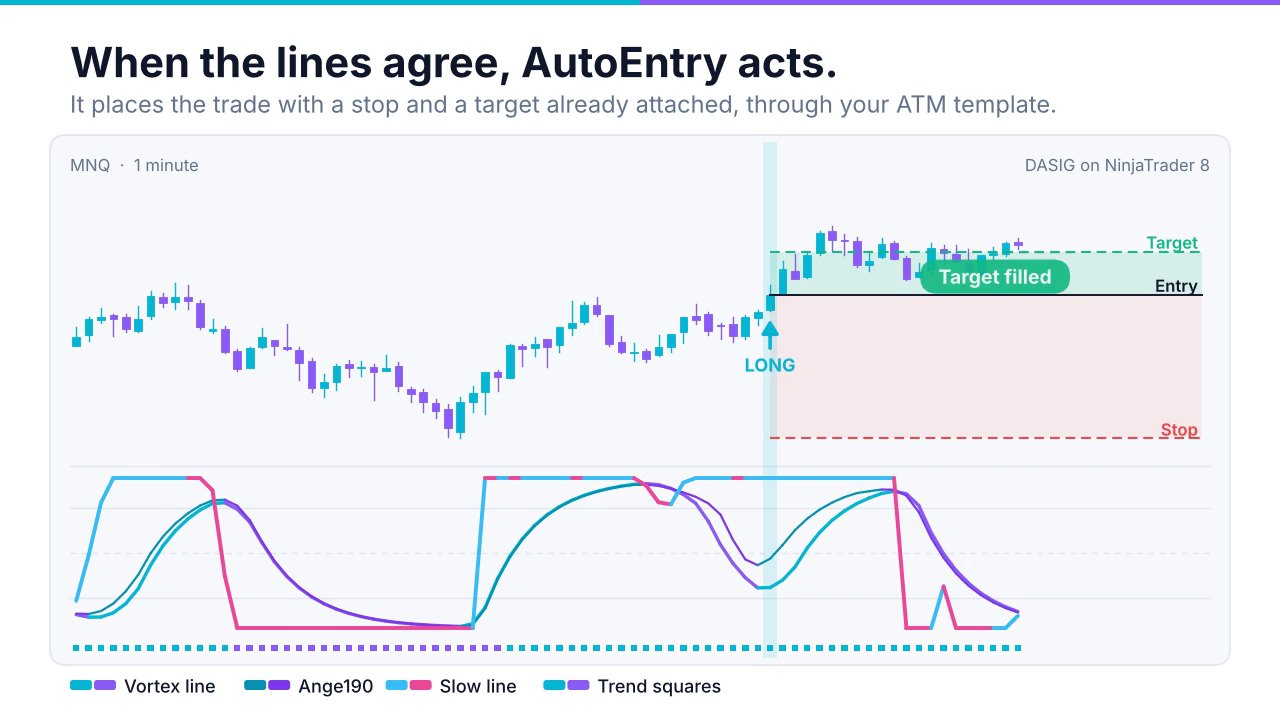
AutoEntry is the engine behind every Venzitech strategy. It reads momentum, waits for agreement, checks the account’s risk and then places a fully bracketed order — the same way on every bar, with no hesitation and no revenge trades.
Inside AutoEntry
Five parts that work together
None of these parts is a secret on its own. The edge is that they run together, consistently, on every trade.
1. DASIG signal lines
Momentum lines with different speeds — the Vortex line, Ange190, the long line, the slow line and the trend squares. Each strategy uses its own combination. About the indicators.
2. Trading windows
Each strategy only looks for trades in the part of the day it was built for, set in Eastern Time. Outside the window it does nothing.
3. ATM brackets
Entries go through an ATM template, so the stop and target are attached the moment the order fills. Templates are included and import in one step.
4. Shared risk guard
One daily risk budget per account, shared by every Venzitech strategy. A trade that could break it is skipped and logged.
5. Session safety
Every strategy is flat by 4:00 PM ET. No overnight holds, no weekend gaps.
Built for NinjaTrader 8
Native NinjaScript strategies and indicators, licensed to your NinjaTrader machine ID, with updates while you subscribe.
The strategies
Six strategies across five markets
All six ship with AutoEntry. They trade micro futures by default, so a full set can run on one account.
| Strategy | Market | Window (ET) | Style |
|---|---|---|---|
| Vortex | Micro Nasdaq (MNQ) | 9:31 – 9:47 AM | Opening-drive momentum |
| Cipher | Micro Nasdaq (MNQ) | 10:59 AM – 3:59 PM | Midday and closing momentum, two blocks |
| Eclipse E | Micro S&P 500 (MES) | 9:35 AM – 3:29 PM | Session momentum |
| Gandalf | Micro Dow (MYM) | 9:34 – 11:29 AM | Morning momentum, two-line agreement |
| GhostProtocol | Micro Gold (MGC) | 8:29 AM – 12:29 PM | Morning trend continuation |
| All5s | Micro Crude Oil (MCL) | 10:29 AM – 12:29 PM | Five-line agreement |
Getting started
From sign-up to your first automated session
Subscribe
Sign the client policies, then check out. You get your client-area login and licence.
Install
Import the strategies, indicators and ATM templates into NinjaTrader 8. The course walks you through it.
Set up a VPS
Optional but recommended, so trading doesn’t depend on your home PC. VPS guide.
Switch on
Enable the strategies on your account before their windows start. Join the live call for help.
AutoEntry questions
What do I need to run Venzitech AutoEntry?
A Windows computer or VPS running NinjaTrader 8, a futures account connected to NinjaTrader (a broker or a prop firm account), and an active subscription. The strategies are licensed to your NinjaTrader machine ID.
Can I run only some of the strategies?
Yes. Each strategy is a separate NinjaTrader strategy. Switch on the ones you want, on the accounts you want. The shared risk guard counts only the Venzitech strategies running on that account.
Can I change the size or the stop and target?
You choose the contract quantity in the ATM template. Each strategy expects the stop and target from its included template; if they don’t match, the strategy will not trade, so your settings stay the ones it was built and tested with.
Does it hold trades overnight?
No. Every strategy is flat by 4:00 PM Eastern Time.
What happens if my internet or PC goes down?
Your stop and target are working orders at the broker once the entry fills, but the strategy itself stops managing new trades. That is why we recommend running NinjaTrader on a VPS. See our VPS recommendation.
Futures trading involves substantial risk of loss. Automated strategies can and do lose, and past performance is not indicative of future results. Read the risk disclosure.
Put the system to work on your account
Strategies, indicators, ATM templates, training and the live community for $350 a month. Cancel anytime.